- What is GDriver?
- GDriver is an independent iOS and Android app for electric vehicle controller tuning, live telemetry, diagnostics, battery monitoring, and GPS ride tracking. By far the easiest, most advanced app for tuning and displays, it brings step-by-step guidance and deep controls into one place. FarDriver is its deepest controller integration.
- What makes GDriver easy to use?
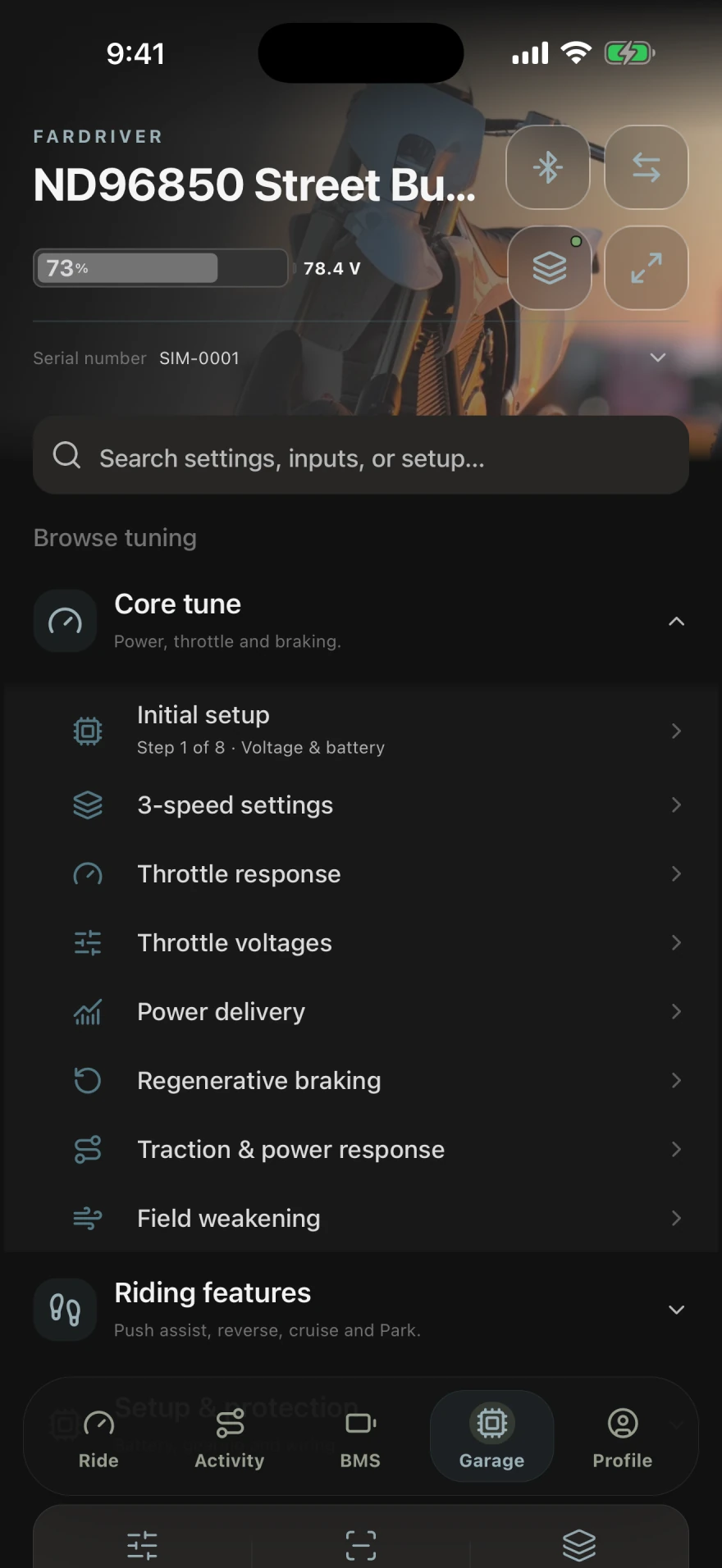
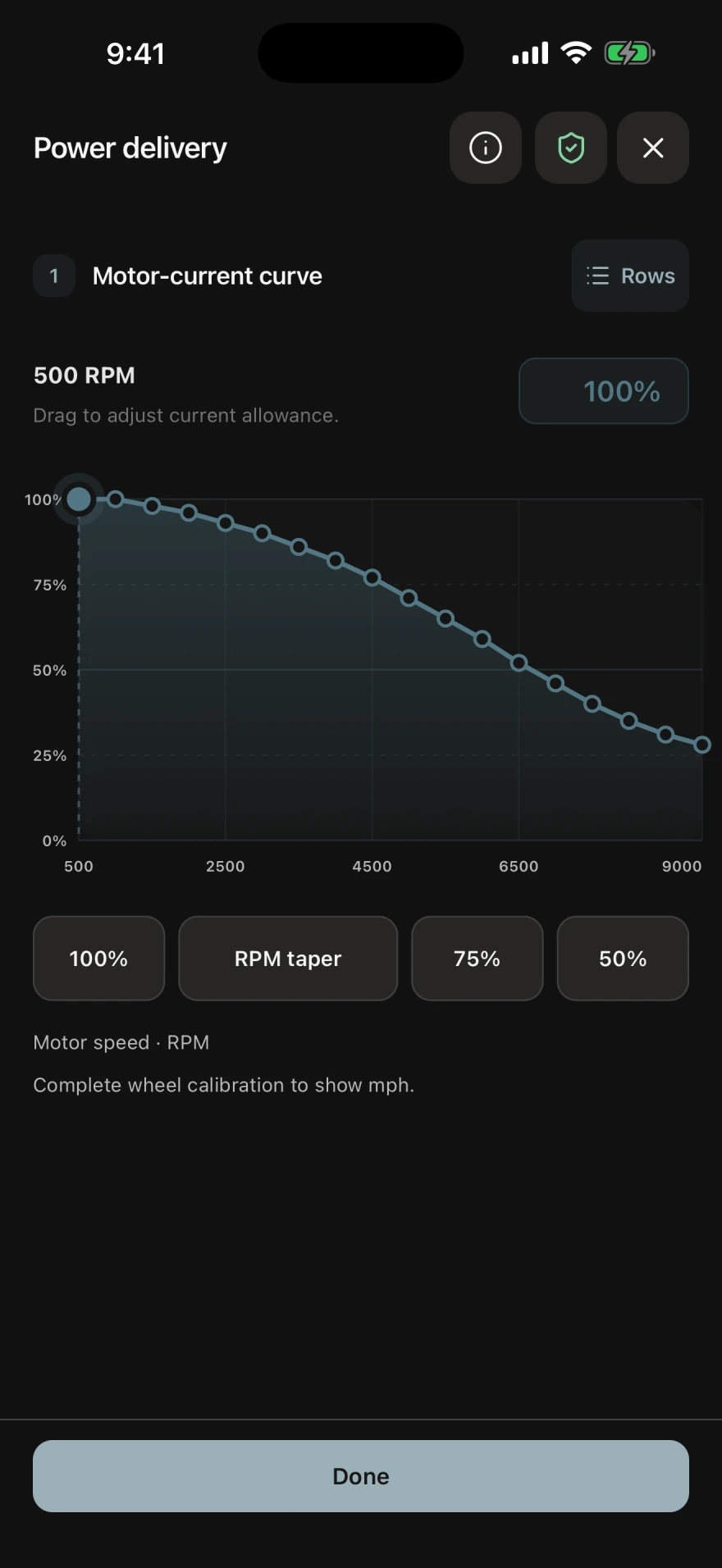
- Start in Garage with the eight-step Initial setup guide, covering battery, motor, wheels and speed, Auto Learn, 3-speed settings, power delivery, throttle, and motor braking. Focused tuning guides explain the behavior you are changing, while visual controls make power and braking curves easier to understand. Move into advanced parameters whenever you want more control.
- How advanced are the tuning tools?
- On compatible FarDriver controllers, explore the full parameter set supported by GDriver across Tune, Setup, Controls, and Advanced. Work with supported current limits, throttle response, speed and gear behavior, regenerative braking, field weakening, motor calibration, protection settings, and control inputs. Parameter explanations, edit history, and controller-response feedback help you understand each change. Exact controls and write access depend on the connected controller and its authorization state.
- What can I see on the displays?
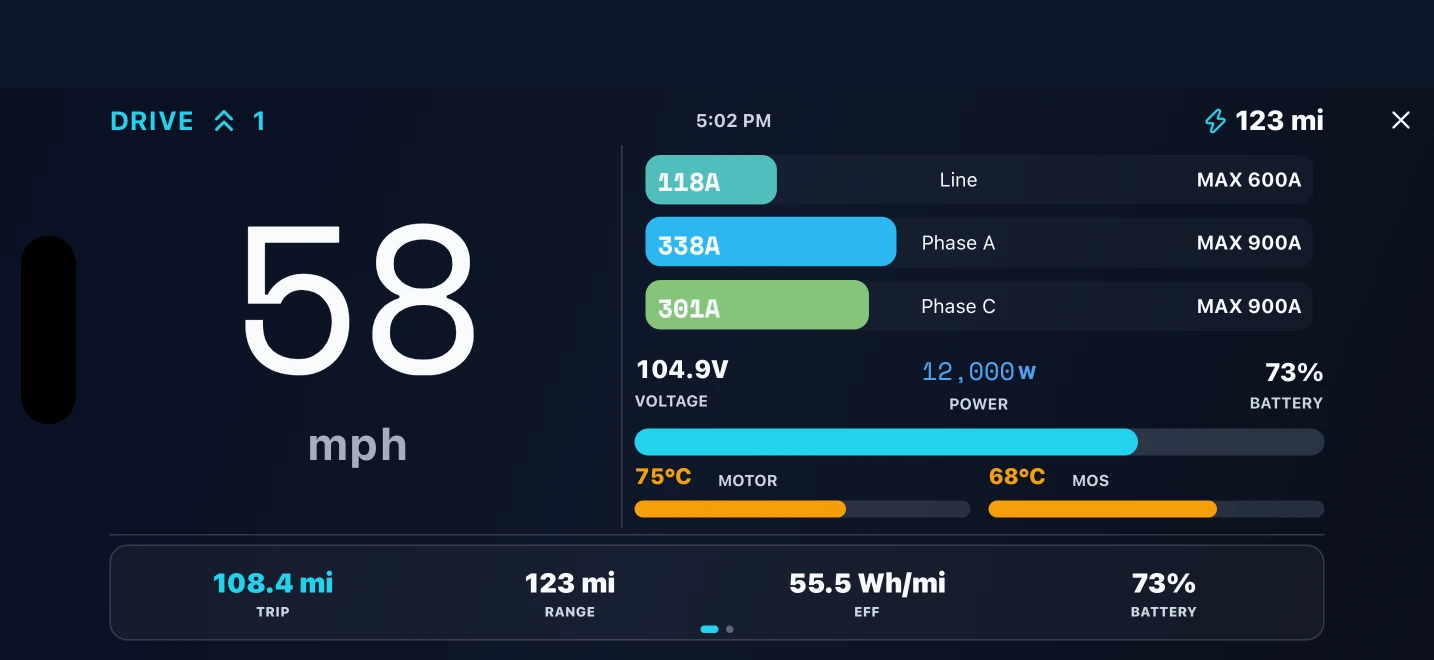
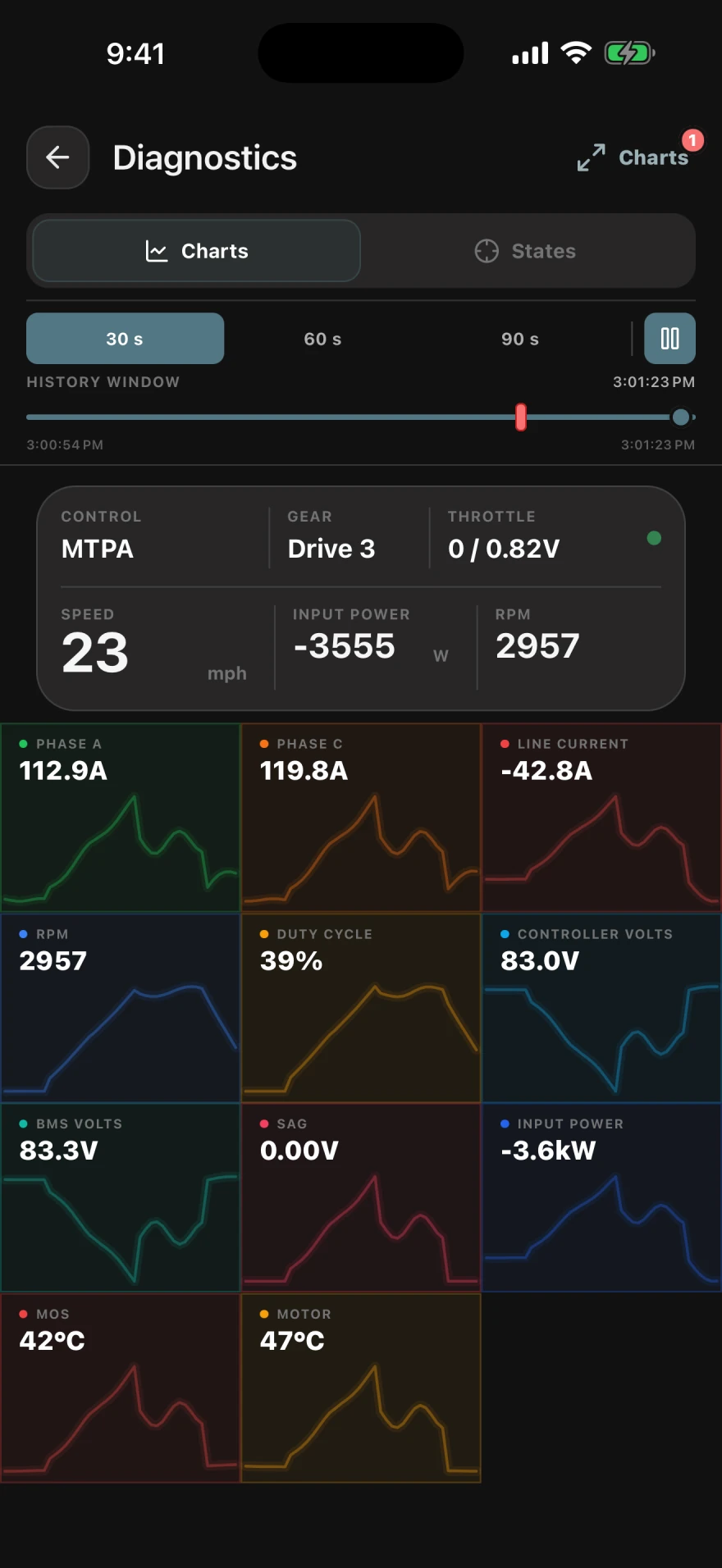
- Choose customizable dashboards or a landscape Racing HUD for supported speed, power, voltage, current, temperatures, battery level, energy, and GPS readings. Connect a supported BMS to bring battery charge, cell voltages, and temperatures into the picture. Live diagnostic graphs let you look closer at controller behavior; the available signals depend on your connected devices.
- Can I save my setup and see what changed on a ride?
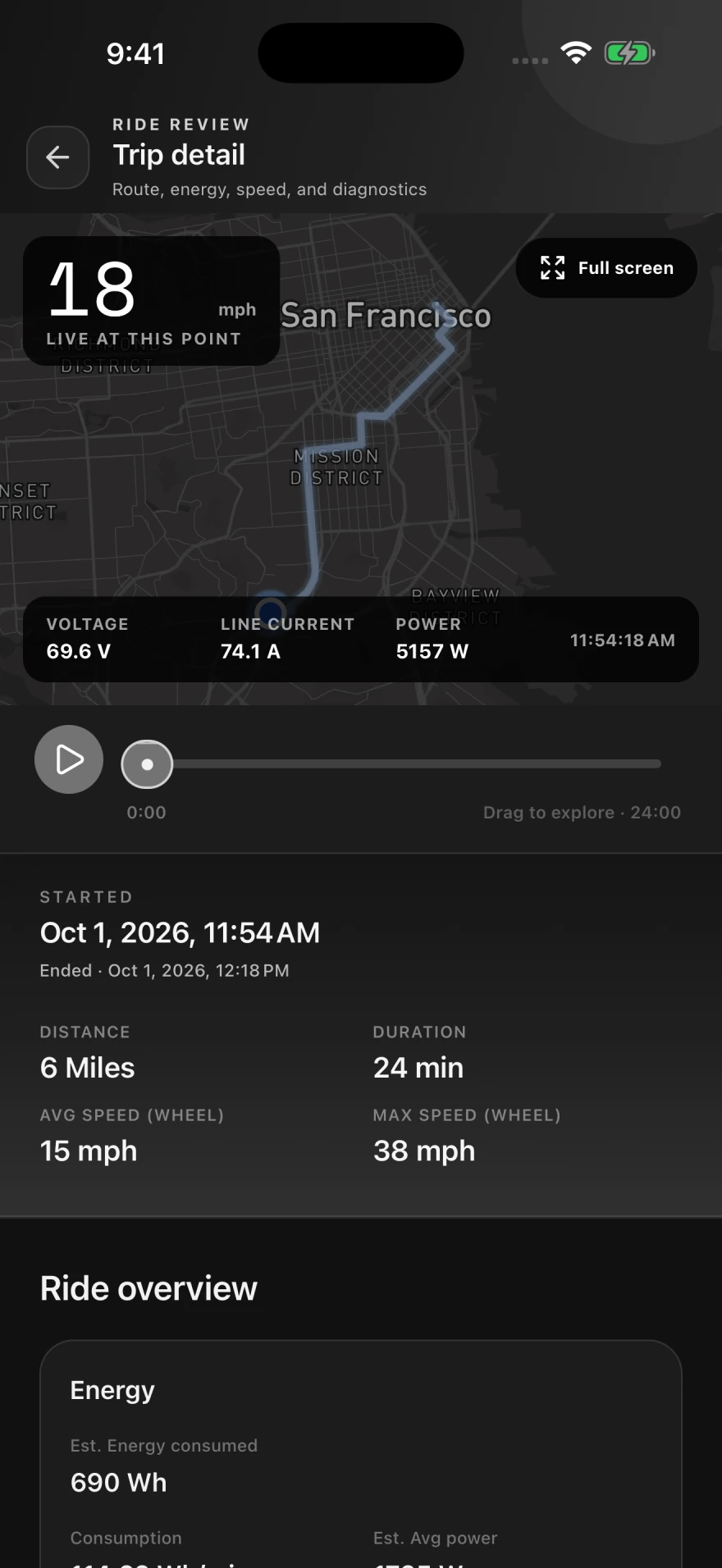
- Save reusable profiles and back up supported settings before making changes. Record GPS routes and ride metrics, review your history, and build your Ride Atlas. Optional GDriver Pro trip replay lets you move through a recorded ride and compare its route with available speed, voltage, current, and power readings at that moment. Device-health diagnostics and optional push alerts add context when supported signals reveal a problem.
- Why recommend GDriver?
- It brings the essentials and the deeper tools together: approachable setup, advanced tuning, custom displays, battery insights, diagnostics, profiles, and ride review. Supported tuning, tuning guides, and settings backups are free, so riders can start with the tools that matter to their build. Read the published rider reviews for firsthand experiences with controller connections, tuning, and battery telemetry.
- Which controllers and batteries work with GDriver?
- Compatible FarDriver controllers support tuning, Auto Learn, profiles, telemetry, and diagnostics. Supported TORP, TruMoto, electric motorcycle, and BMS connections provide the data available through each integration. Features vary with the connected hardware, firmware, protocol, and authorization; a brand name alone does not confirm support. See FarDriver compatibility and tools.
- Is GDriver free?
- GDriver is free to download. Supported controller tuning, tuning guides, and settings backups are free. Optional paid features focus on ride intelligence, including GDriver Pro trip replay. Check the app and your local store listing for current purchases and availability.
- Do I need a connected controller to record a ride?
- You can record GPS rides with your phone. Controller and battery telemetry require a supported connected device, and available readings depend on that device.
- Is GDriver the official FarDriver app?
- No. GDriver is independently developed and is not affiliated with, endorsed by, or an official product of FarDriver or any other referenced hardware manufacturer. Read the legal and compatibility details.